Upload the ZIP
After you sign in to your hosting go to your file manager and upload the beauty_salons_web_vXXX.zip file then extract it in your /public_html folder.
Extract the ZIP file
Click right on your uploaded zip file and choose extract , you should get the following files in your file manager
Configure the Website
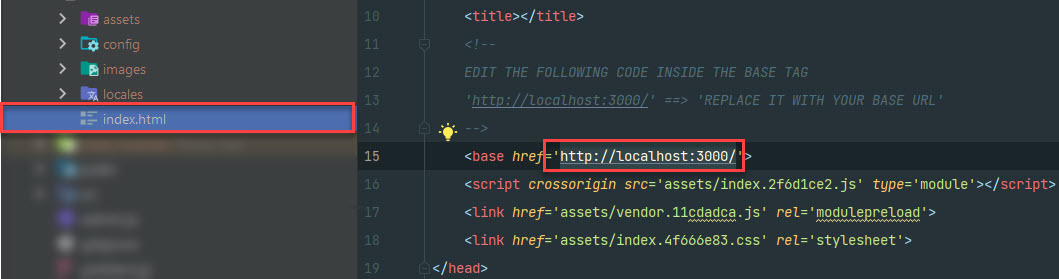
Inside the root folder of your website, you will find a file named index.html edit the <base> HTML tag with your base URL (the domain name used for the website)
 Inside the root folder of your website, go to
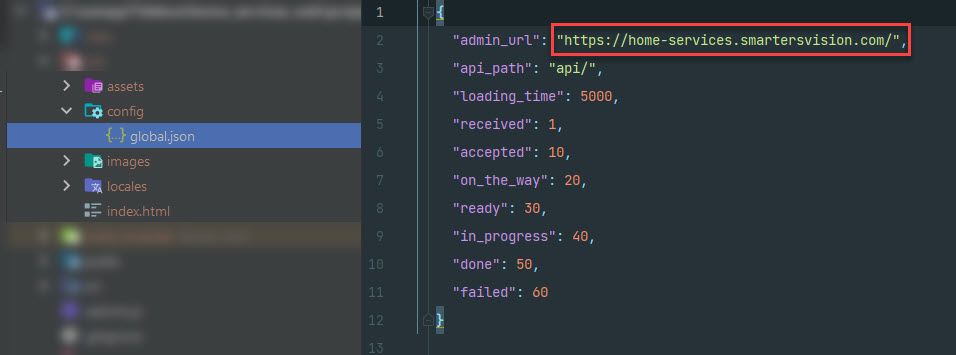
 config/global.json edit the admin_url property with your admin panel url (the domain name used for your existing admin panel)